INDEX

Your AI knowledge base, one click away
Access everything you need instantly — from documents to policies — powered by intelligent search and real-time insights.
[ WHAT WILL YOU GET ]
1.
Turn questions into instant answers.
2.
Centralized with an AI-powered workspace.
3.
Manage policy acceptance.
4.
No more digging for info.
Stay update
Get the latest insights on documentation and knowledge management.
Top 20 Policy Management Software Platforms for 2025
Finding the right internal documentation software feels like searching for a needle in a haystack, especially when your team is drowning in scattered Google Docs, forgotten Notion pages, and that one crucial PDF everyone keeps losing. After analyzing 20 leading platforms in 2025, BlueDocs emerges as the clear winner, offering an all-in-one solution that finally brings order to documentation chaos. While competitors force you to juggle multiple tools or sacrifice key features, BlueDocs combines document management, training systems, policy tracking, and AI-powered search into one intelligent platform at just $6 per user monthly. This comprehensive guide breaks down exactly why growing teams are abandoning fragmented solutions for BlueDocs' streamlined approach to internal knowledge management.

Sebastian Cornwell
Content Writer

The internal documentation software market is experiencing unprecedented growth, with organizations increasingly recognizing documentation as a strategic asset worth investing in. BlueDocs emerges as the clear leader in this space, offering a comprehensive solution that addresses the critical pain points plaguing modern teams: scattered information, poor compliance tracking, and inefficient training processes.
With the market projected to reach $19.81 billion by 2030, driven by digital transformation and remote work adoption, choosing the right internal documentation platform has never been more crucial. This comprehensive guide examines the top 20 solutions available in 2025, providing the insights you need to make an informed decision for your organization.
What is Internal Documentation Software?
Internal documentation software serves as the central nervous system for organizational knowledge, enabling teams to create, organize, and maintain critical information including standard operating procedures (SOPs), policies, training materials, and institutional knowledge. Unlike customer-facing documentation tools, these platforms focus specifically on internal workflows, compliance requirements, and employee enablement.
The most effective internal documentation software combines document management, collaboration features, training capabilities, and policy management into a unified platform. This integration is essential because teams using multiple disconnected tools report 40% lower productivity and struggle with version control, compliance tracking, and knowledge transfer.
Modern internal documentation platforms must address several key challenges: ensuring information remains current and accessible, providing robust search capabilities, maintaining compliance audit trails, and facilitating seamless collaboration across distributed teams. The best solutions incorporate AI-powered features, mobile accessibility, and integration with existing business tools to create a frictionless user experience.
Top 20 Internal Documentation Software Applications for 2025
1. BlueDocs - The Ultimate All-in-One Solution
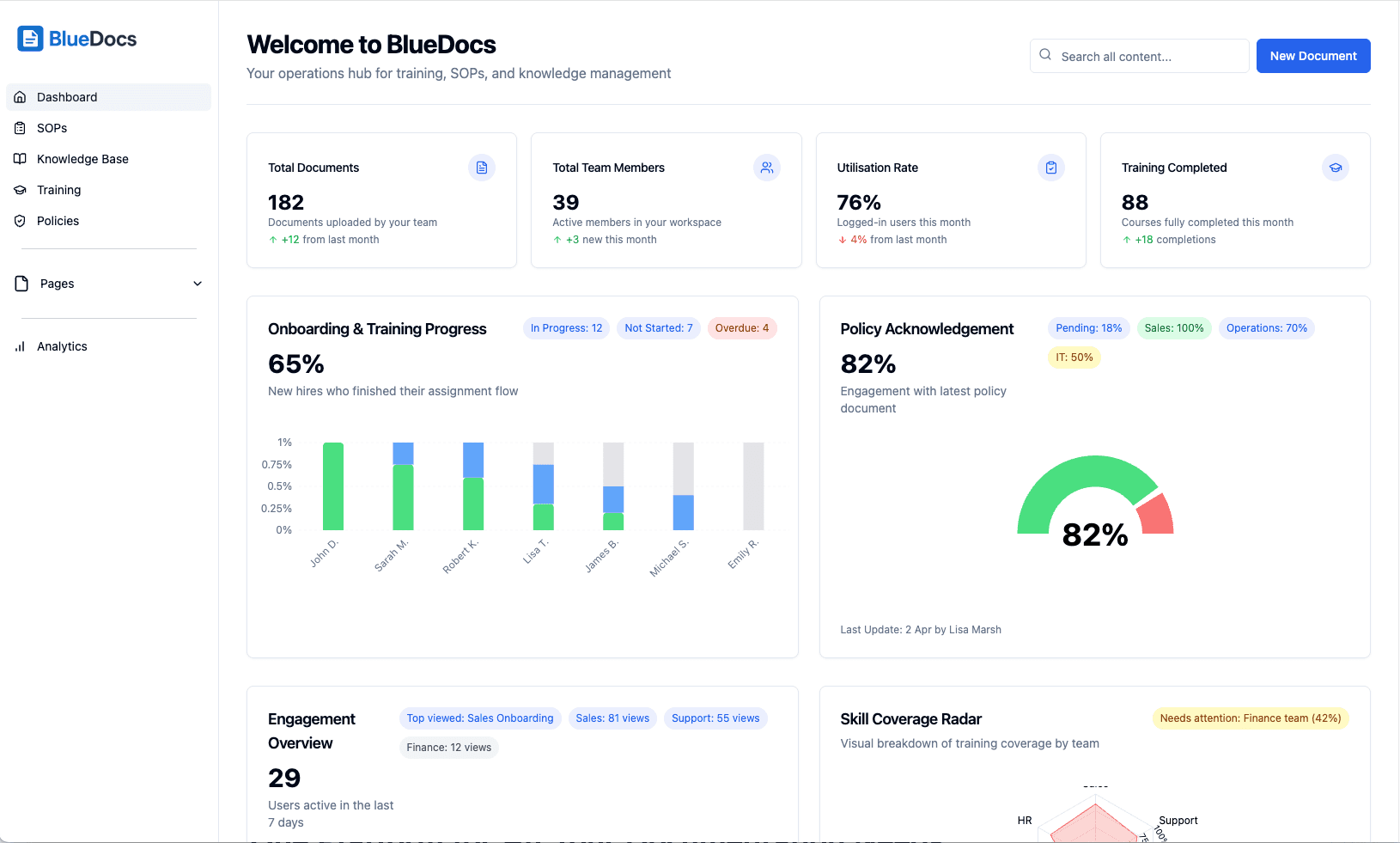
BlueDocs stands out as the premier internal documentation platform, specifically designed to eliminate the chaos of scattered Google Docs, Notion pages, and PDFs that plague growing organizations. Unlike competitors that focus on single use cases, BlueDocs provides a comprehensive 4-in-1 solution combining document management, learning management system (LMS), policy manager, and internal wiki capabilities.
Key Features:
AI-powered search with intelligent chatbot providing instant answers
Drag-and-drop page builder with unlimited documentation pages
Modular training pathways with automated role-based assignments
Multi-stage approval workflows with complete audit trails
Real-time collaboration with @mentions and comments
256-bit encryption with SOC2 and ISO 27001 compliance
Native mobile apps with offline capabilities
Comprehensive integration ecosystem (Google Workspace, Microsoft Teams, Slack, GitHub)
Pricing: $6/user/month (75% lower than industry average) Best For: Growing teams seeking to consolidate documentation chaos into one intelligent system
Why BlueDocs Wins: The platform's unique architecture addresses the root cause of documentation failures - tool fragmentation. By combining training, policy management, and knowledge base functionality with AI-powered intelligence, BlueDocs eliminates the need for multiple platforms while ensuring compliance and accelerating onboarding from weeks to hours.
2. Document360 - AI-Powered Knowledge Management
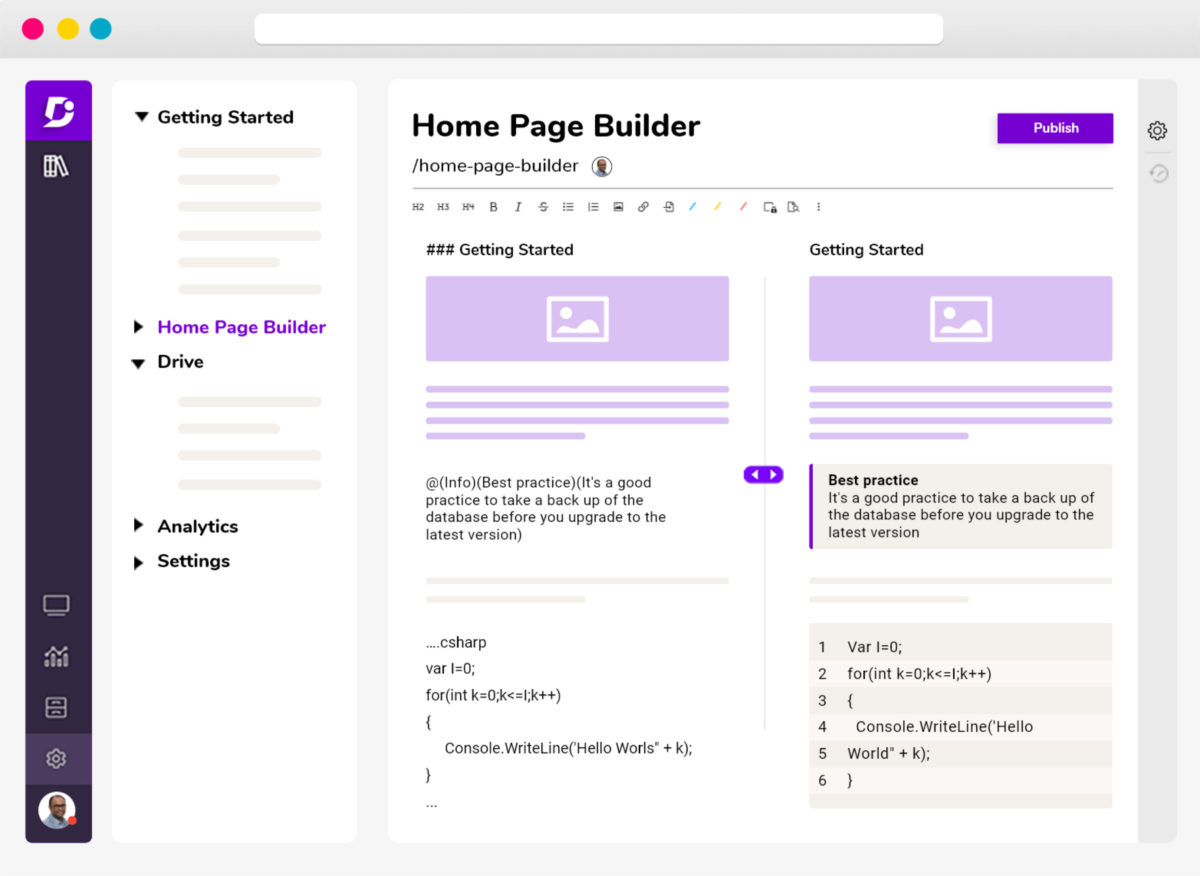
Document360 offers robust AI-powered knowledge base capabilities with their Eddy AI Assistant, though it primarily targets customer-facing documentation rather than internal processes. While feature-rich, the platform's complex pricing structure and steep learning curve make it less suitable for internal team adoption.
Key Features:
Advanced AI content generation and search
Comprehensive analytics and SEO optimization
Multi-level categorization system
Version control and workflow management
Pricing: Starting at $149/month (significantly more expensive than BlueDocs) Limitations: Expensive for internal use, customer-focused rather than employee-centric, complex setup requirements
3. Notion - Flexible but Fragmented
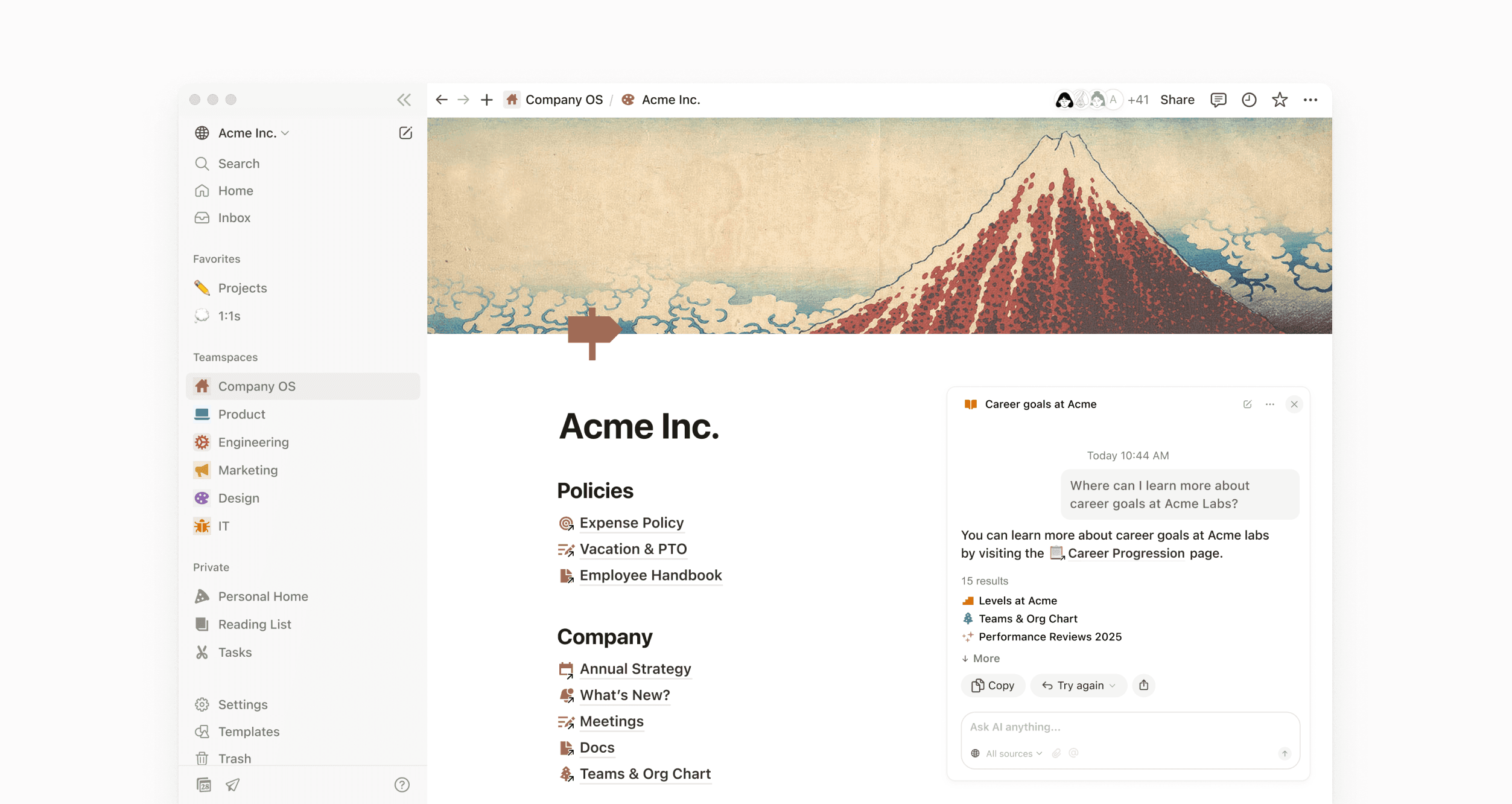
Notion's block-based architecture provides impressive flexibility, but this strength becomes a weakness for internal documentation. Teams report spending excessive time organizing information rather than creating it, and the platform's performance issues with large datasets create frustration.
Key Features:
Highly customizable block-based interface
Database functionality with relations
Template library and real-time collaboration
AI features in Business and Enterprise plans
Pricing: $15/user/month for Business plan Limitations: Overwhelming complexity, performance issues, lacks compliance features, no specialized training tools
4. Confluence - Enterprise Complexity Without Clarity

Confluence dominates enterprise environments but suffers from overcomplexity and poor user experience. While scalable, the platform requires significant IT resources and training, making it unsuitable for agile teams seeking quick deployment.
Key Features:
Wiki-style collaborative workspace
Strong integration with Atlassian ecosystem
Blueprint templates for consistency
Advanced permission controls
Pricing: $6.40/user/month for Standard (limited features) Limitations: Steep learning curve, expensive scaling, performance issues, complex administration
5. SharePoint - Microsoft's Complicated Legacy
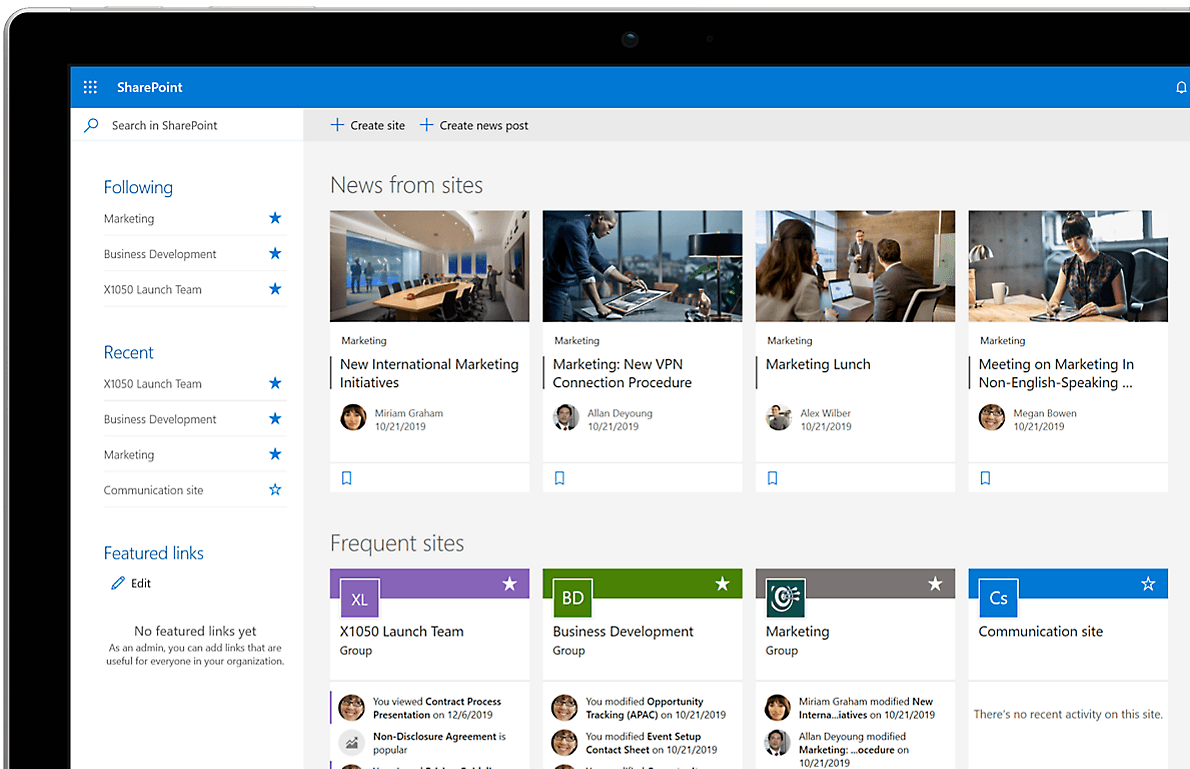
SharePoint offers deep Microsoft integration but remains notorious for its complexity and poor user experience. While powerful, the platform requires extensive IT involvement and ongoing maintenance, making it unsuitable for teams wanting immediate productivity gains.
Key Features:
Comprehensive document management
Native Microsoft 365 integration
Workflow automation capabilities
Enterprise-grade security
Pricing: $5/user/month (requires additional Microsoft licenses) Limitations: Complex setup, poor user experience, requires IT expertise, limited mobile functionality
6. GitBook - Developer-Centric Documentation
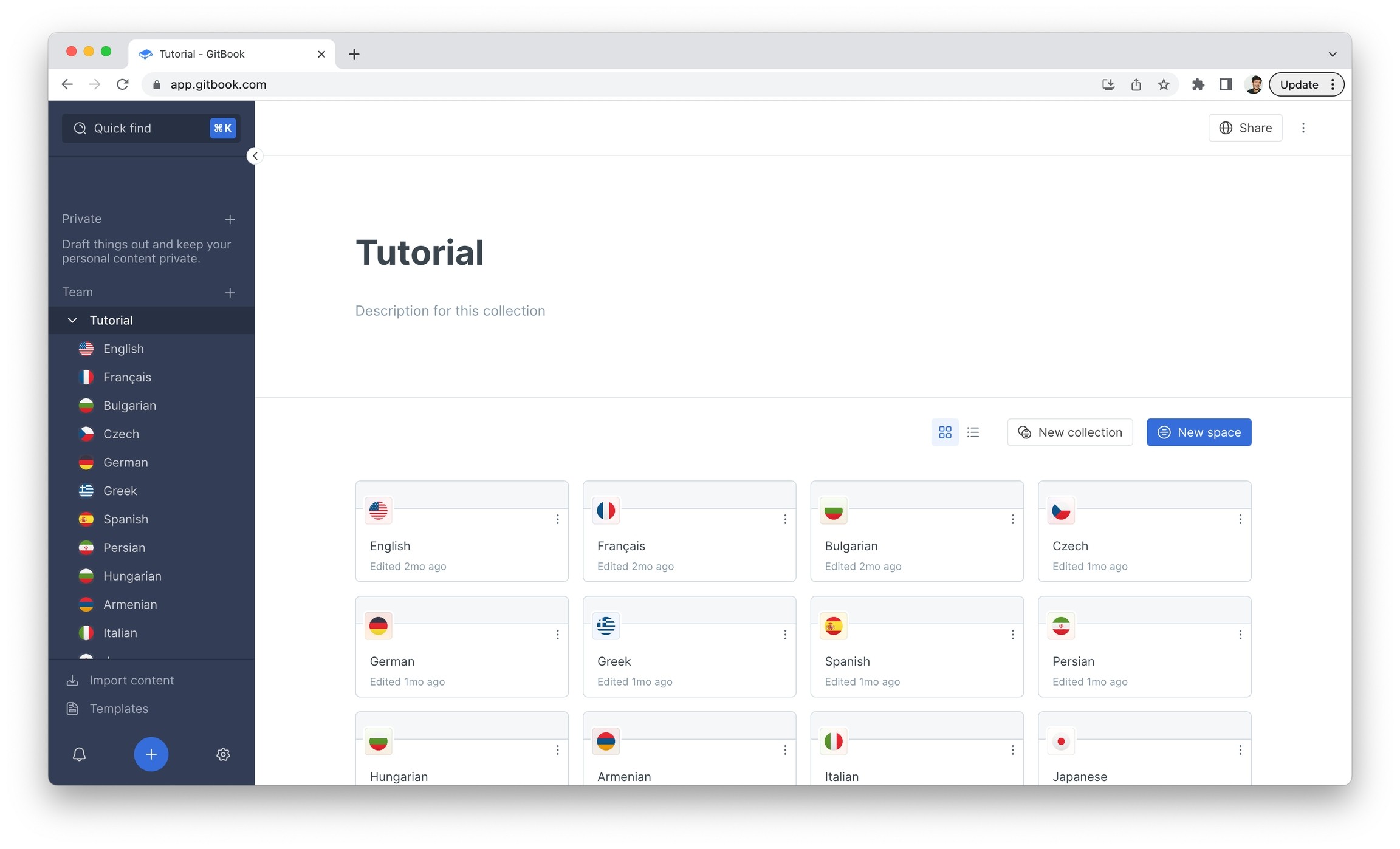
GitBook excels for technical documentation with its Git-based workflow, but lacks the business features necessary for comprehensive internal documentation. The platform's developer focus limits its applicability for HR, operations, and compliance teams.
Key Features:
Git-based version control
Markdown support with live preview
Beautiful, clean interface
API documentation tools
Pricing: $25/user/month for Pro plan Limitations: Limited business features, expensive for larger teams, no training management, developer-focused
7. Obsidian - Privacy-First Knowledge Management
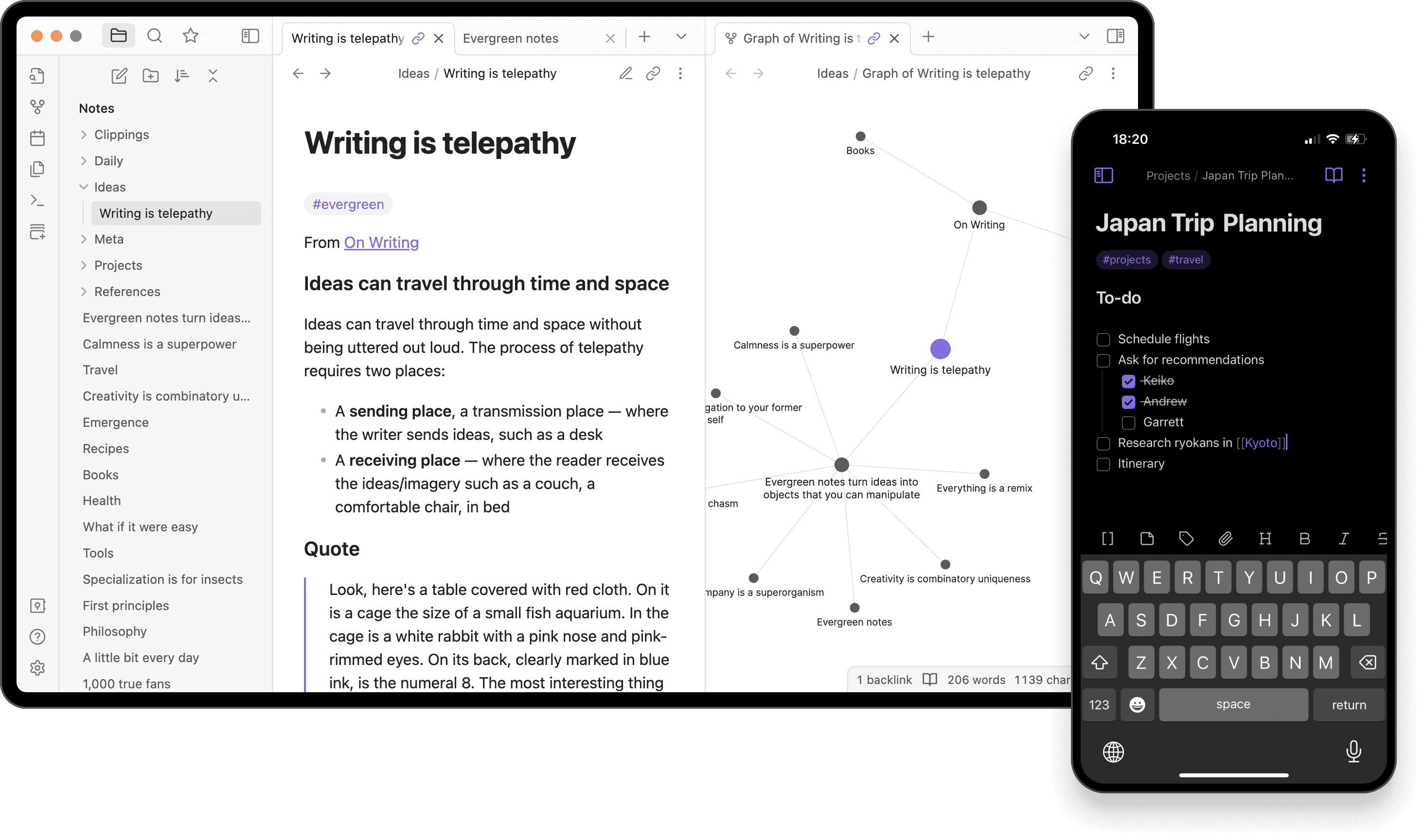
Obsidian offers unparalleled privacy and customization through its local-first approach, but the lack of collaboration features and complex plugin management make it unsuitable for team environments requiring real-time cooperation.
Key Features:
Local-first data storage
Bi-directional linking and graph view
Extensive plugin ecosystem
Complete data ownership
Pricing: $50/user/year for commercial use Limitations: Limited collaboration, no web interface, complex setup, requires technical expertise
8. Roam Research - Networked Thought Platform
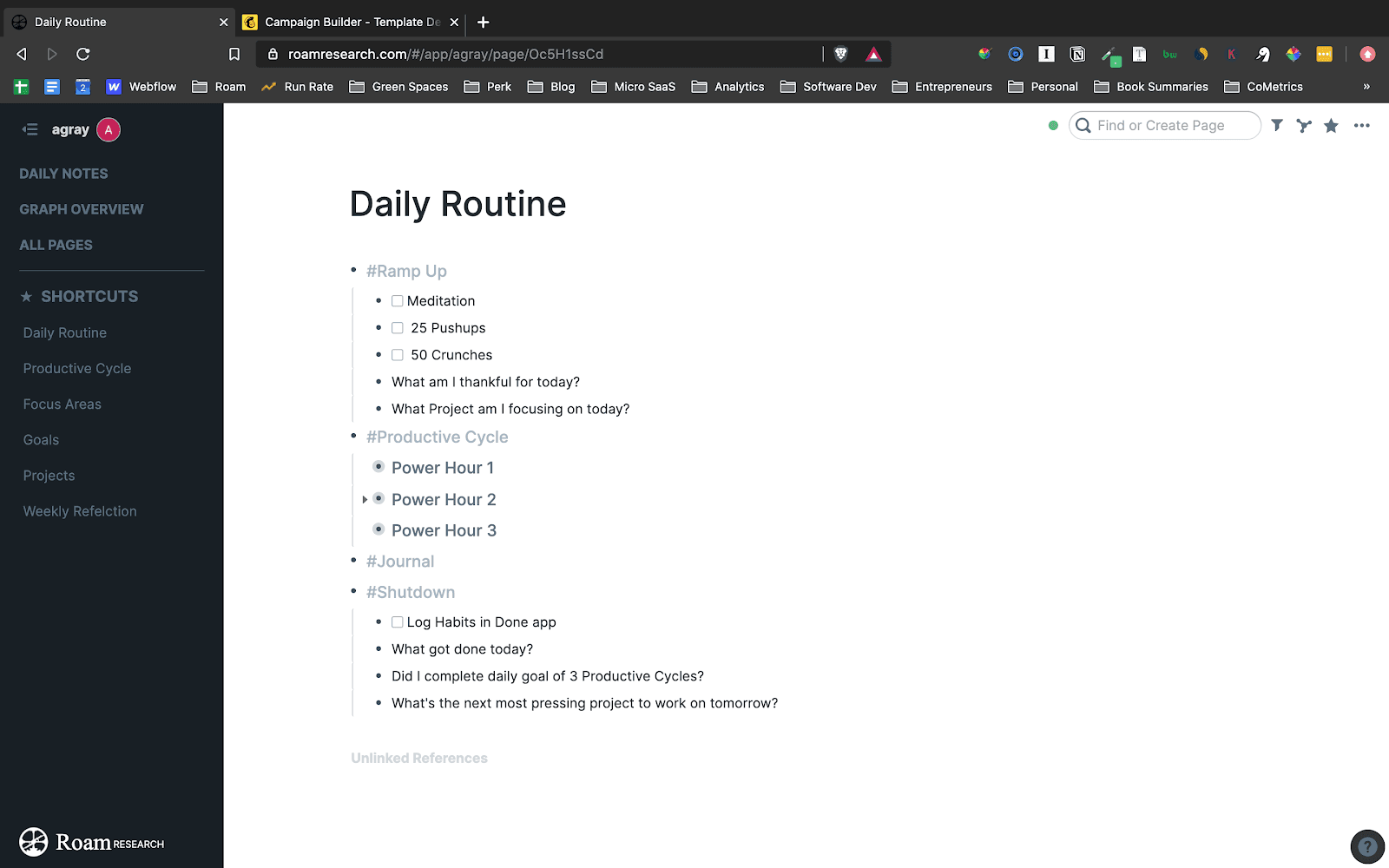
Roam Research pioneered networked thinking but remains too complex for typical business use. The platform's academic focus and steep learning curve make it unsuitable for teams seeking straightforward documentation solutions.
Key Features:
Bi-directional linking system
Block-based structure
Graph database for connections
Real-time collaboration
Pricing: $15/month personal, custom for organizations Limitations: Steep learning curve, slow performance, limited mobile support, expensive
9. Slab - Simple Wiki Solution
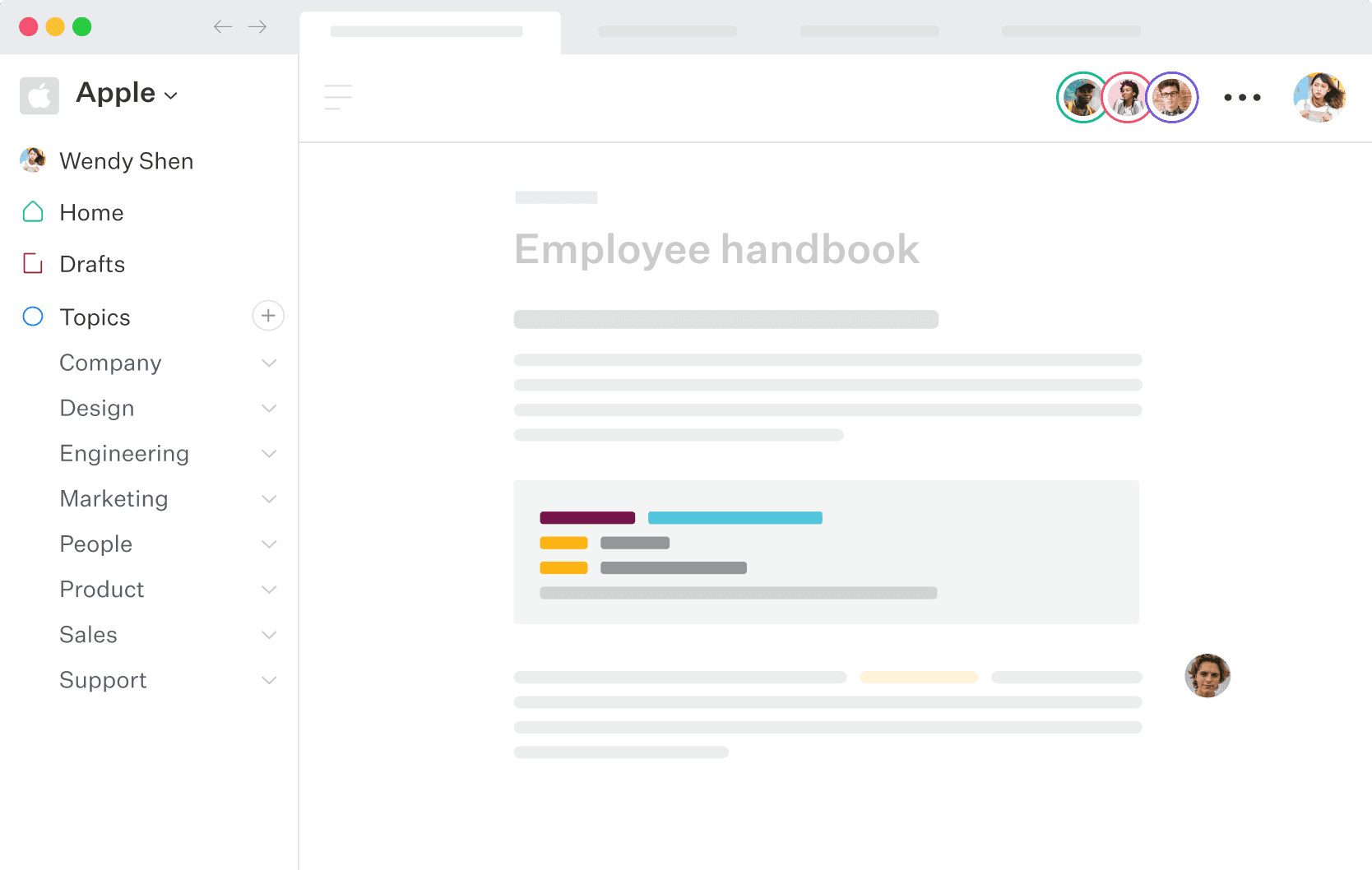
Slab provides a clean, modern wiki experience but lacks the advanced features necessary for comprehensive internal documentation. While easy to use, the platform's simplicity becomes a limitation for organizations requiring training management and compliance tracking.
Key Features:
Fast, intuitive interface
Topics-based organization
Good search capabilities
Mobile apps
Pricing: $12/user/month for Business plan Limitations: Limited customization, basic workflow features, no training management, expensive for advanced needs
10. Slite - Remote Team Collaboration
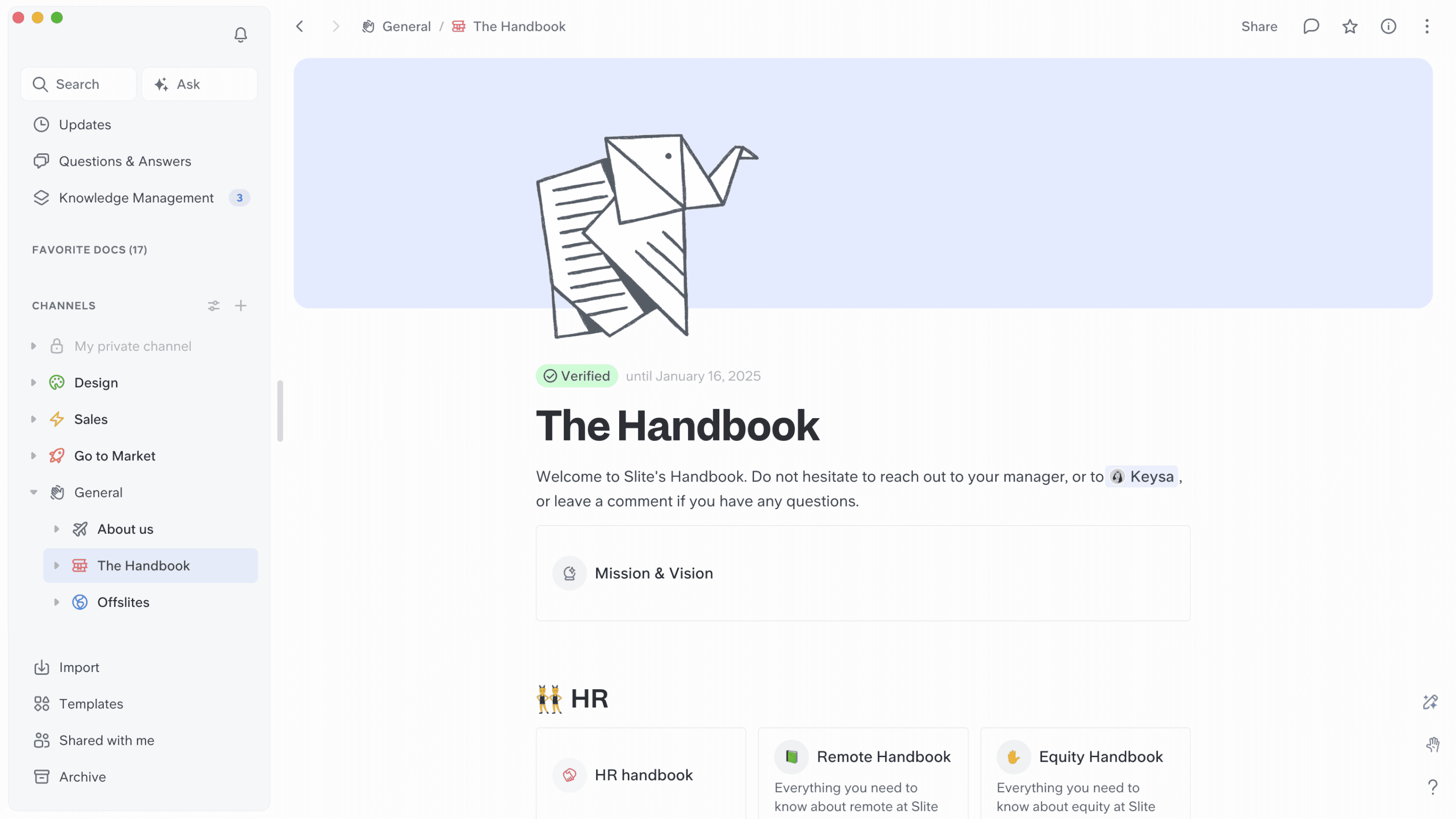
Slite focuses on remote team collaboration but offers limited document management capabilities. While affordable, the platform lacks the sophisticated features necessary for comprehensive internal documentation management.
Key Features:
Channel-based organization
Real-time collaborative editing
Mobile-responsive design
Affordable pricing
Pricing: $15/user/month for Premium Limitations: Document limitations, basic reporting, limited integrations, no compliance features
11. Zendesk Guide - Customer Support Integration
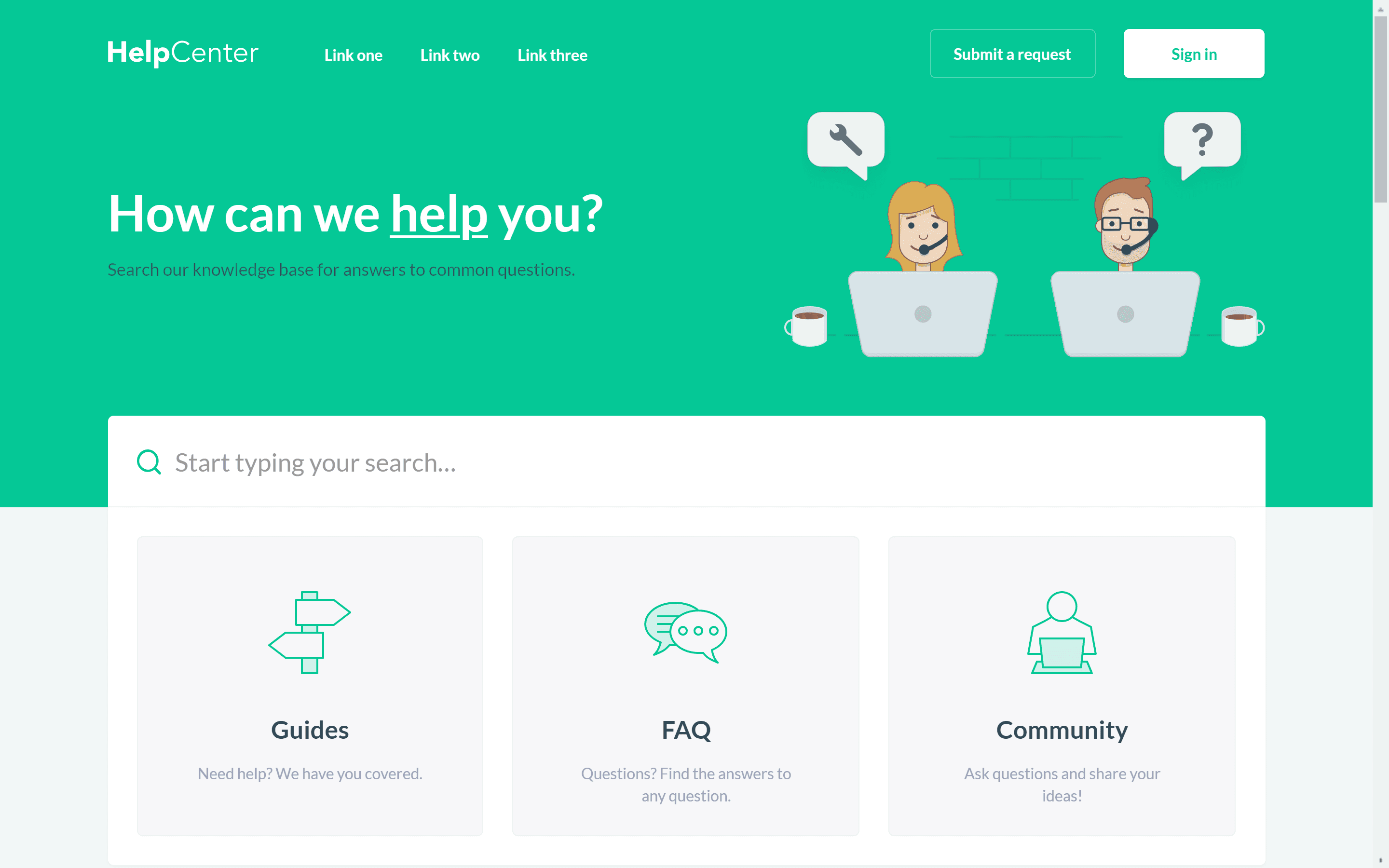
Zendesk Guide integrates well with customer support workflows but is expensive and limited for internal documentation needs. The platform's customer-facing focus makes it unsuitable for comprehensive internal knowledge management.
Key Features:
Integrated helpdesk capabilities
Multi-channel publishing
Customer feedback collection
Multi-language support
Pricing: $89/agent/month for Growth plan Limitations: Expensive, requires Zendesk ecosystem, limited internal features, customer-focused
12. Helpjuice - Specialized Knowledge Base
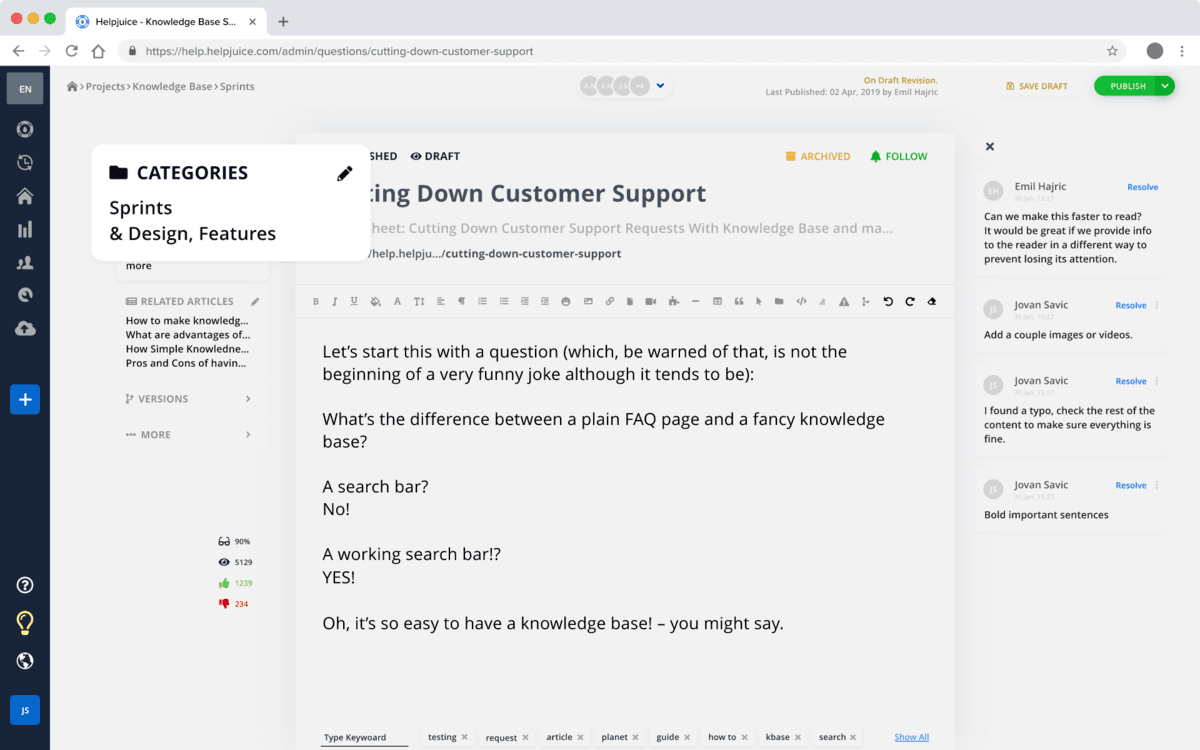
Helpjuice offers comprehensive knowledge base features but lacks the training and collaboration capabilities necessary for modern internal documentation. The platform's higher price point and limited integration options reduce its appeal.
Key Features:
Professional authoring tools
Advanced search capabilities
Custom branding options
Multi-language support
Pricing: $120/month for basic plan Limitations: Expensive starting price, limited collaboration, no training features, basic mobile support
13. Guru - AI-Powered Enterprise Search
Guru provides excellent AI-powered search capabilities but focuses primarily on information retrieval rather than content creation and management. While innovative, the platform's complexity and cost make it less suitable for comprehensive documentation needs.
Key Features:
AI-powered enterprise search
Knowledge verification system
Browser extension for context
Analytics and insights
Pricing: $10/user/month for Builder plan Limitations: Complex setup, expensive for larger teams, limited content creation, focus on search over creation
14. Trainual - Process Documentation Focus
Trainual specializes in process documentation and training but lacks the flexibility necessary for comprehensive internal documentation. The platform's expensive pricing and rigid structure limit its applicability for diverse organizational needs.
Key Features:
Process documentation templates
Role-based content assignment
Progress tracking and testing
Mobile apps
Pricing: $249/month for small teams (25 employees) Limitations: Expensive, rigid structure, limited customization, training-focused only
15. Coda - Document-Database Hybrid
Coda offers unique document-database functionality but suffers from performance issues and complexity. While innovative, the platform's learning curve and pricing model make it unsuitable for straightforward documentation needs.
Key Features:
Document-database hybrid
Interactive tables and automation
Custom formulas and functions
Template library
Pricing: $36/Doc Maker/month for Team plan Limitations: Complex pricing, performance issues, steep learning curve, limited mobile experience
16. Craft - Beautiful Writing Experience
Craft provides an excellent writing experience but lacks the business features necessary for comprehensive internal documentation. The platform's focus on individual creativity over team collaboration limits its enterprise applicability.
Key Features:
Beautiful, intuitive interface
Block-based editor
Document linking
Publishing capabilities
Pricing: $8/user/month for Business Limitations: Limited business features, basic collaboration, fewer integrations, individual-focused
17. Bookstack - Open Source Wiki
Bookstack offers a free, open-source wiki solution but requires technical expertise for setup and maintenance. While cost-effective, the platform's limitations and support requirements make it unsuitable for most business environments.
Key Features:
Free and open-source
Self-hosted control
Simple, intuitive interface
Active community
Pricing: Free (hosting costs apply) Limitations: Requires technical setup, limited customization, no cloud option, basic collaboration
18. TiddlyWiki - Personal Knowledge Management
TiddlyWiki provides extensive customization for personal knowledge management but lacks the collaboration features necessary for team environments. The platform's complexity and outdated interface limit its business applicability.
Key Features:
Highly customizable
Offline-first approach
Extensive plugin ecosystem
Data portability
Pricing: Free and open-source Limitations: Steep learning curve, limited collaboration, requires technical knowledge, outdated interface
19. Outline - Team Knowledge Base
Outline offers a clean, modern interface for team knowledge bases but lacks advanced features necessary for comprehensive internal documentation. While affordable, the platform's limitations make it suitable only for basic documentation needs.
Key Features:
Clean, modern interface
Real-time collaborative editing
Hierarchical document structure
Affordable pricing
Pricing: $16/user/month for Business Limitations: Limited customization, basic reporting, fewer integrations, no training management
20. Nuclino - Collaborative Wiki
Nuclino provides multiple visualization options for collaborative wikis but may struggle with large databases and offers limited advanced features. While intuitive, the platform lacks the sophisticated capabilities necessary for comprehensive internal documentation.
Key Features:
Multiple view modes (graph, board, table)
Intuitive interface
Real-time editing
Flexible organization
Pricing: $12/user/month for Premium Limitations: Limited advanced features, basic integrations, scalability concerns, no compliance features
How to Choose Internal Documentation Software
Selecting the right internal documentation software requires careful consideration of your organization's unique needs, growth trajectory, and technical requirements. The decision will impact your team's productivity, compliance posture, and knowledge management capabilities for years to come.
Team Size and Scalability Considerations
Small Teams (10-50 users): Focus on simplicity and quick adoption. BlueDocs excels here with its intuitive interface and comprehensive feature set at $6/user/month. Avoid complex platforms like Confluence that require extensive setup and training.
Growing Teams (50-200 users): Prioritize platforms that scale gracefully without exponential cost increases. BlueDocs maintains consistent per-user pricing while providing enterprise-grade features. Notion and Slab can become expensive and unwieldy at this scale.
Enterprise Teams (200+ users): Consider platforms with advanced security, compliance, and integration capabilities. While SharePoint and Confluence offer enterprise features, BlueDocs provides the same capabilities with significantly better user experience and lower total cost of ownership.
Security and Compliance Requirements
Regulated Industries: Prioritize platforms with SOC 2, ISO 27001, and industry-specific compliance certifications. BlueDocs offers comprehensive compliance features with audit trails, version control, and policy acknowledgment tracking - capabilities often missing from simpler platforms.
Data Sensitivity: Consider where your data will be stored and processed. While platforms like Obsidian offer local storage, cloud-based solutions like BlueDocs provide better collaboration while maintaining enterprise-grade security.
Access Control: Ensure the platform supports role-based permissions and SSO integration. BlueDocs provides granular access controls with team-based permissions, while simpler platforms may lack these essential security features.
Integration and Workflow Requirements
Existing Tool Stack: Evaluate how well the platform integrates with your current tools. BlueDocs offers comprehensive integrations with Google Workspace, Microsoft Teams, Slack, and GitHub, while specialized platforms may require custom development.
Workflow Automation: Consider whether you need automated approval processes, content assignment, and notification systems. BlueDocs provides built-in workflow automation, while basic platforms require manual processes or external tools.
Migration Complexity: Assess the effort required to migrate existing content. BlueDocs offers migration assistance and supports various import formats, while some platforms require extensive manual work.
Budget and Total Cost of Ownership
Direct Costs: Compare subscription fees, setup costs, and user limits. BlueDocs offers transparent pricing at $6/user/month with all features included, while platforms like Document360 and Confluence have complex tiered pricing.
Hidden Costs: Consider training, maintenance, and integration costs. Simple platforms like BlueDocs minimize these expenses, while complex solutions like SharePoint require ongoing IT support.
ROI Considerations: Evaluate the productivity gains and cost savings from consolidating tools. BlueDocs users report 63% faster onboarding times and 42% fewer support tickets, providing measurable ROI.
Implementation Timeline and Support
Urgency: If you need quick deployment, choose platforms with minimal setup requirements. BlueDocs offers same-day deployment with 14-day free trials, while enterprise platforms may require months of configuration.
Support Quality: Evaluate available support channels and response times. BlueDocs provides 24/7 premium support with personalized onboarding, while open-source solutions rely on community support.
Training Requirements: Consider your team's technical expertise and available training time. BlueDocs prioritizes intuitive design requiring minimal training, while platforms like Confluence have steep learning curves.
Implementation Tips for Internal Documentation Software
Successful implementation requires more than simply purchasing software - it demands a strategic approach to change management, content strategy, and user adoption. Organizations that follow proven implementation practices report 3x higher adoption rates and faster time-to-value.
Conduct a Content Audit: Before migrating to your new platform, audit existing documentation to identify outdated, duplicate, or irrelevant content. This process typically reveals that 40-60% of existing content needs updating or deletion, making migration more efficient and valuable.
Define Content Standards: Establish clear guidelines for document formatting, naming conventions, and approval processes. BlueDocs' template system and style guides help enforce consistency while reducing content creation time.
Identify Champions: Select enthusiastic early adopters from each department to serve as platform advocates. These champions should receive advanced training and support to help drive adoption within their teams.
Plan Migration Strategy: Develop a phased migration approach, starting with the most critical and frequently accessed content. BlueDocs' migration tools and professional services can accelerate this process while ensuring data integrity.
Change Management Best Practices
Communicate Value Clearly: Help users understand how the new platform will improve their daily work. Focus on concrete benefits like faster information retrieval, reduced email searches, and streamlined approval processes rather than technical features.
Provide Comprehensive Training: Offer multiple training formats including live demos, video tutorials, and hands-on workshops. BlueDocs provides extensive training resources and personalized onboarding to ensure user success.
Address Resistance Proactively: Acknowledge user concerns and provide specific solutions. Common objections include "learning another tool" and "losing familiar processes." Demonstrate how the new platform simplifies rather than complicates their work.
Measure and Celebrate Success: Track adoption metrics, user feedback, and productivity improvements. Share success stories and recognize teams that embrace the new platform effectively.
Content Strategy Development
Create Template Libraries: Develop standardized templates for common document types including SOPs, policies, meeting notes, and project documentation. BlueDocs' template system ensures consistency while accelerating content creation.
Establish Review Cycles: Implement regular content review processes to maintain accuracy and relevance. BlueDocs' automated notifications and assignment features help ensure documentation stays current.
Encourage User-Generated Content: Enable team members to contribute knowledge and expertise. BlueDocs' collaboration features and approval workflows maintain quality while leveraging organizational knowledge.
Optimize for Search: Structure content with clear headings, tags, and metadata to improve discoverability. BlueDocs' AI-powered search learns from user behavior to surface relevant content automatically.
Technical Implementation Considerations
Integration Planning: Map out all necessary integrations with existing tools and systems. BlueDocs' extensive integration library and API support most common business applications without custom development.
Security Configuration: Implement appropriate access controls, authentication methods, and compliance settings. BlueDocs provides role-based permissions and SSO integration for secure, scalable access management.
Performance Optimization: Configure the platform for optimal performance including search indexing, caching, and mobile access. BlueDocs' cloud-native architecture ensures fast performance without technical configuration.
Backup and Recovery: Establish data backup and recovery procedures to protect against data loss. BlueDocs provides automated backups and version history, but organizations should understand recovery processes.
Measuring Success and ROI
Track Adoption Metrics: Monitor user engagement, content creation, and platform utilization. Key metrics include daily active users, content views, and search success rates.
Measure Business Impact: Quantify improvements in onboarding time, support ticket reduction, and knowledge transfer efficiency. BlueDocs users typically see 63% faster onboarding and 42% fewer support tickets.
Collect User Feedback: Regularly survey users about their experience and suggestions for improvement. BlueDocs' analytics dashboard provides insights into user behavior and content effectiveness.
Iterate and Improve: Use data and feedback to continuously optimize the platform configuration, content organization, and user experience. Successful organizations treat documentation as an evolving strategic asset rather than a static repository.
Conclusion
The internal documentation software landscape in 2025 offers numerous options, but BlueDocs emerges as the clear winner for organizations seeking a comprehensive, user-friendly, and cost-effective solution. By combining document management, training capabilities, policy management, and AI-powered search in one platform, BlueDocs eliminates the fragmentation and complexity that plague traditional approaches.
While alternatives like Notion offer flexibility and Confluence provides enterprise features, BlueDocs delivers the optimal balance of functionality, usability, and value. Its $6/user/month pricing represents 75% savings compared to comparable solutions, while its specialized focus on internal documentation ensures features align with actual user needs rather than attempting to be everything to everyone.
The platform's AI-powered search, automated workflows, and comprehensive compliance features position it perfectly for the future of work, where distributed teams need instant access to accurate information. Organizations choosing BlueDocs report dramatic improvements in onboarding efficiency, compliance tracking, and knowledge retention - benefits that translate directly to competitive advantage.
For growing organizations tired of documentation chaos, BlueDocs offers the clarity, structure, and intelligence needed to transform scattered information into strategic assets. With its 14-day free trial and personalized onboarding, there's never been a better time to experience the difference a purpose-built internal documentation platform can make for your team's productivity and success.
Ready to consolidate your documentation chaos into one intelligent system? Start your free BlueDocs trial today and discover why forward-thinking organizations are choosing the platform that brings order to internal knowledge management.
References and Sources
Here's a comprehensive table of references used in researching this article on internal documentation software:
Topic/Platform | Key Information Source | URL |
|---|---|---|
Market Size & Growth Data | Document Management System Market Research | |
Industry Trends Analysis | Documentation Market Intelligence Report | |
BlueDocs Platform Overview | Comprehensive BlueDocs Feature Analysis | |
BlueDocs User Reviews | Customer Feedback and Ratings | |
BlueDocs Pricing & Features | Software Comparison Platform | |
BlueDocs AI Features | AI Documentation Platform Analysis | |
Document360 Analysis | IT Documentation Software Review | |
Software Documentation Best Practices | Industry Best Practices Guide | |
Documentation Tools Comparison | Top 20 Software Documentation Tools | |
Notion Pricing Analysis | Notion Pricing Review 2025 | |
Notion Alternatives Research | Best Notion Alternatives Guide | |
Confluence Comparison | Confluence Alternatives Analysis | |
SharePoint Pricing Guide | Microsoft SharePoint Pricing 2025 | |
SharePoint Alternatives | SharePoint Alternative Solutions | |
GitBook Review | GitBook Features and Pricing | |
Obsidian vs Roam Research | Note-Taking App Comparison | |
Knowledge Management Tools | Best Knowledge Management Software | |
Helpjuice Analysis | Knowledge Base Software Comparison | |
Zendesk Pricing | Zendesk Guide Pricing 2025 | |
Open Source Documentation | Best Open Source Documentation Tools | |
BookStack Information | Open Source Wiki Platform | |
Slite Pricing & Features | Slite Software Review | |
Document360 Alternatives | Document360 Competitors Analysis | |
Software Documentation Trends | 2025 Documentation Trends | |
Knowledge Management Vendors | Top 20 Knowledge Management Vendors | |
Trainual Alternatives | Trainual Competitors & Alternatives | |
Software Documentation Best Practices | Complete Guide to Documentation | |
Implementation Best Practices | Knowledge Management Implementation |
This reference table provides direct links to the authoritative sources used throughout the article, ensuring readers can verify information and explore topics in greater depth. Each source was carefully selected for its credibility, current relevance to 2025 market conditions, and comprehensive coverage of the respective platforms and topics discussed.
" transform="translate(7.25 10.875)" width="14.5px"/></svg>)

" height="29px" id="HpoDilQXr" width="29px"/><path d="M 0 0 L 0 10.684 M 6.105 4.579 L 6.105 10.684 M 6.105 4.579 C 6.105 2.05 8.155 0 10.684 0 C 13.213 0 15.263 2.05 15.263 4.579 L 15.263 10.684 M 6.105 4.579 L 6.105 0" fill="transparent" height="10.68421052631579px" id="RHyMZG0zD" stroke-dasharray="" stroke-linecap="round" stroke-linejoin="round" stroke-width="2.29" stroke="rgb(255, 255, 255)" transform="translate(6.868 11.447)" width="15.263157970026917px"/><path d="M 0.014 0 L 0 0" fill="transparent" height="1px" id="AeX1Dw3MI" stroke-dasharray="" stroke-linecap="round" stroke-linejoin="round" stroke-width="3.05" stroke="rgb(255, 255, 255)" transform="translate(6.868 6.868)" width="1px"/></g></svg>)
" height="29px" id="XCYDVGb_3" width="29px"/><path d="M 0 15.263 L 6.401 8.862 M 6.401 8.862 L 0 0 L 4.24 0 L 8.862 6.401 M 6.401 8.862 L 11.023 15.263 L 15.263 15.263 L 8.862 6.401 M 15.263 0 L 8.862 6.401" fill="transparent" height="15.26315860125893px" id="yHn1Yx9Mu" stroke-dasharray="" stroke-linecap="round" stroke-linejoin="round" stroke-width="2.29" stroke="rgb(255, 255, 255)" transform="translate(6.868 6.868)" width="15.26315860125887px"/></g></svg>)
" height="29px" id="yIfVOFQtI" width="29px"/><path d="M 10.448 0 L 5.953 0 C 4.359 0 3.064 1.285 3.053 2.879 L 2.921 20.454 M 0 9.121 L 7.331 9.121" fill="transparent" height="20.45415789582844px" id="GiChiTJAr" stroke-dasharray="" stroke-linecap="round" stroke-linejoin="round" stroke-width="2.29" stroke="rgb(255, 255, 255)" transform="translate(11.447 8.395)" width="10.447631995251367px"/></g></svg>)
" height="29px" id="Qh1IiqaXA" width="29px"/><path d="M 13.737 6.868 C 13.737 10.662 10.662 13.737 6.868 13.737 C 3.075 13.737 0 10.662 0 6.868 C 0 3.075 3.075 0 6.868 0 C 10.662 0 13.737 3.075 13.737 6.868 Z" fill="transparent" height="13.736842105263158px" id="pIfl6CNpA" stroke-dasharray="" stroke-linecap="butt" stroke-linejoin="miter" stroke-miterlimit="10" stroke-width="2.29" stroke="rgb(255, 255, 255)" transform="translate(7.632 7.632)" width="13.736842105263158px"/><path d="M 0.015 0 L 0 0" fill="transparent" height="1px" id="iMbHyTc64" stroke-dasharray="" stroke-linecap="round" stroke-linejoin="round" stroke-width="3.05" stroke="rgb(255, 255, 255)" transform="translate(22.895 6.105)" width="1px"/></g></svg>)
" width="29px"><path d="M 14.5 24.65 C 17.124 24.65 19.64 24.391 21.972 23.915 C 24.886 23.32 26.342 23.025 27.67 21.317 C 29 19.607 29 17.645 29 13.721 L 29 10.929 C 29 7.005 29 5.042 27.67 3.334 C 26.342 1.626 24.886 1.328 21.972 0.735 C 19.512 0.241 17.009 -0.005 14.5 0 C 11.876 0 9.36 0.26 7.028 0.735 C 4.114 1.33 2.658 1.626 1.33 3.334 C 0 5.043 0 7.005 0 10.927 L 0 13.723 C 0 17.645 0 19.607 1.33 21.317 C 2.658 23.025 4.114 23.322 7.028 23.915 C 9.36 24.391 11.876 24.65 14.5 24.65 Z" fill="rgb(98, 100, 102)" height="24.650083927490723px" id="cNFz0c6MM" transform="translate(0 0)" width="29px"/><path d="M 10.095 5.529 C 9.88 6.407 8.735 7.037 6.445 8.3 C 3.954 9.673 2.709 10.359 1.701 10.093 C 1.365 10.007 1.051 9.85 0.78 9.634 C 0 9.003 0 7.693 0 5.075 C 0 2.456 0 1.147 0.78 0.516 C 1.044 0.303 1.36 0.145 1.701 0.056 C 2.709 -0.209 3.954 0.477 6.445 1.85 C 8.736 3.111 9.88 3.742 10.095 4.621 C 10.167 4.92 10.167 5.23 10.095 5.529 Z" fill="transparent" height="10.149409924588017px" id="obhAcineG" stroke-dasharray="" stroke-linecap="butt" stroke-linejoin="round" stroke-width="2.17" stroke="rgb(255, 255, 255)" transform="translate(10.15 7.25)" width="10.149275000000182px"/></g></svg>)